
Digital Invitations And RSVPs
Wedding E-Vites
Digital wedding invitations for Candid Studios couples, with a private reply for every household
Sign in with your Candid Studios Client Portal account to save your invitation.
Wedding E-Vites are Candid Studios' own digital wedding invitations. Create one invitation with your names, your venue and every event of your weekend.
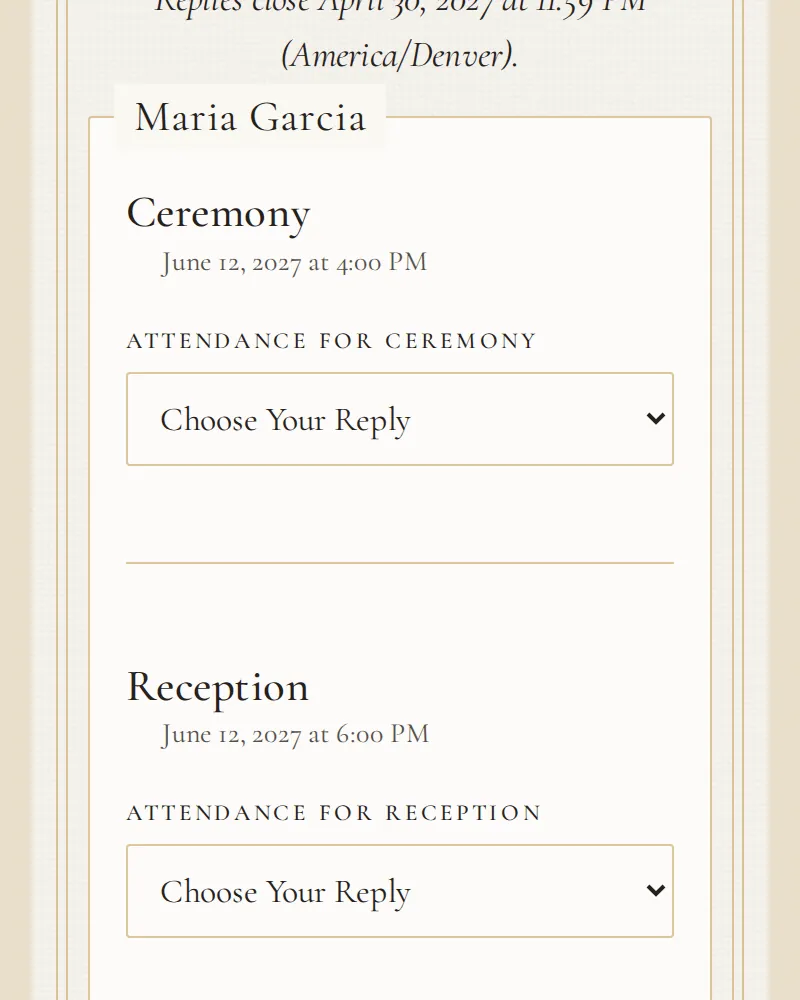
Each household gets a private link to reply. Guests choose the events they will attend, pick their meals and add dietary notes on their own phones, and every reply lands in one guest list you manage.
You share the links yourself. Candid Studios never messages your guests.
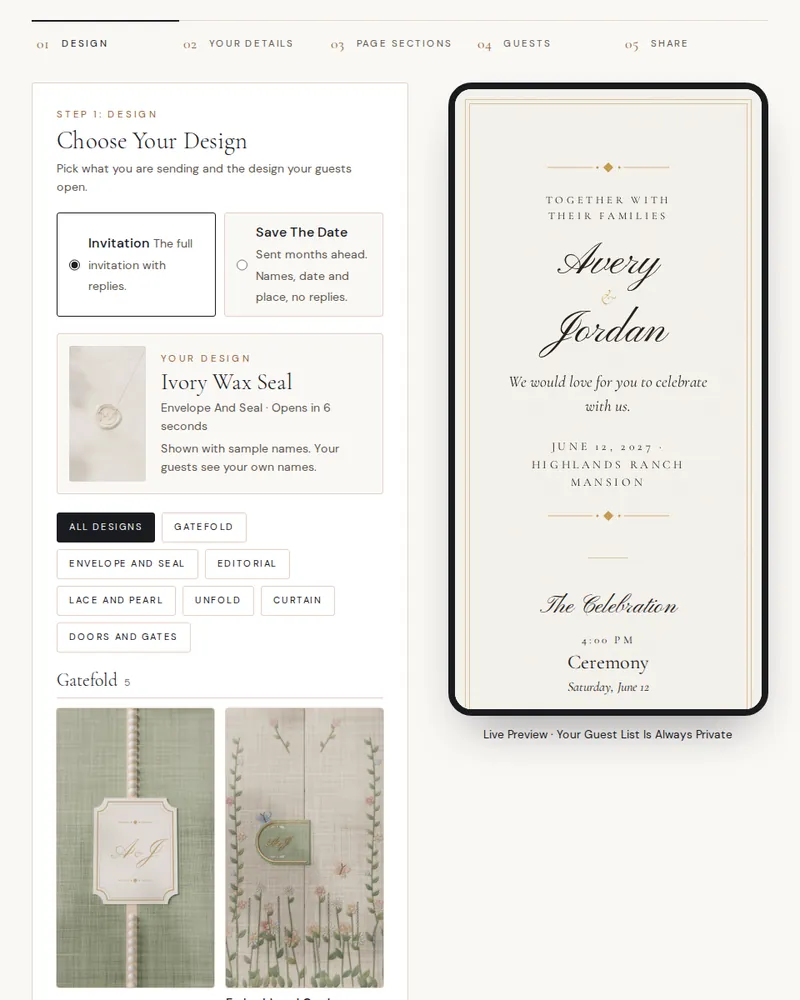
Choose Your Design
Every invitation starts with a design. Here are all 71, grouped by style, each with its own opening film. Tap or click a design to watch it open.
Every film here is a silent sample made with the names Avery & Jordan.
Gatefold
Embroidered Garden Gatefold Linen Gatefold Painted Coast Gatefold Ribbon & Bow Gatefold Velvet Gatefold
Envelope And Wax Seal
Blush Wax Seal Burgundy Wax Seal Dusty Blue Wax Seal Gold Foil Envelope Ivory Wax Seal Letterpress Botanical Envelope Sage Wax Seal
Lace And Pearl
Chantilly Lace Mother Of Pearl Ribbon Pearl & Tulle
Doors, Gates And Curtain
Beaded Curtain Chapel Doors Garden Gate Illustrated House Stained Glass Window Velvet Curtain Villa Door
Unfold And Pop-Up
Crest Panel Ivory Crest Panel Sage Folded Letter Pop-Up Venue Unrolling Scroll
Editorial And Illustrated
Editorial Type Illustrated Celebration Minimal Ivory Starlit Evening
Save The Dates
Beaded Curtain Save The Date Blind Embossed Envelope Floral Bloom Foil Monogram Envelope Heart Fold Lace And Pearl Seal Photo Booth Strip Polaroid Scratch-Off Photo Swans At Dawn Tap To Light Candles Tap To Play Record Tropical Palms
Pop-Up Save The Dates
Pop-Up Beach Pavilion Pop-Up Blossom Pagoda Pop-Up Brownstone Stoop Pop-Up Canal City Pop-Up City Skyline Pop-Up Country Manor Pop-Up Courtyard Riad Pop-Up Desert Camp Pop-Up Domed Palace Pop-Up Garden Pavilion Pop-Up Glass Conservatory Pop-Up Grand Ballroom Pop-Up Hacienda Arches Pop-Up Hilltop Castle Pop-Up Hilltop Villa Pop-Up Jungle Temple Pop-Up Lakeside Villa Pop-Up Lavender Chateau Pop-Up Lemon Cliffs Pop-Up Lighthouse Cove Pop-Up Mountain Lodge Pop-Up Overwater Bungalows Pop-Up Parisian Rooftops Pop-Up Stone Chapel Pop-Up Timber Barn Pop-Up Vineyard Estate Pop-Up Whitewashed Isle
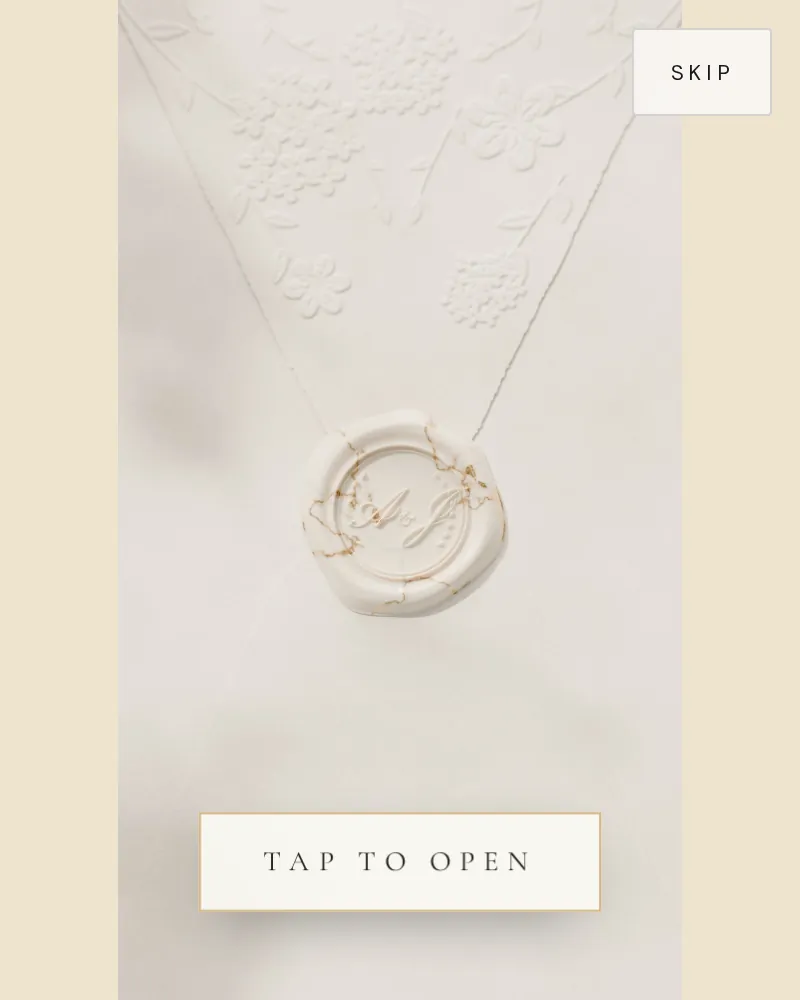
Sample invitation shown with example names.
How It Works
Design Your Invitation
Choose one of our designs, each with its own opening film, then add your names, a photo, a note to your guests, your venue and up to 12 events, from the welcome dinner to the farewell brunch, with meal choices where you need them.
Add Your Guests
Group guests by household, up to 20 people each, and invite each person only to the events they are invited to. Save up to 10 plus-one places per household. Add households one at a time or import your spreadsheet as a CSV.
Share Private Links
Every household gets its own private link and QR code, and the invitation has one of its own. Send them your way, by text, email or a printed card. Candid Studios never contacts your guests.
Watch The Replies Arrive
See every reply by guest and by event as it comes in. Guests can change their answers until your reply deadline, and you can export the list for your caterer and planner.
Before The Day And On It
E-Vites gather your guests before the wedding. Guest Camera gathers their photos on the day: guests scan a QR code and snap photos and short videos from their own phones, into a private Guest Album you reveal when you choose. Guest Camera comes with every Candid Studios booking.
Questions
Do my guests need an app or an account?
No app to download and no account for your guests. They open their household's link or scan its QR code, and reply on their own phone or computer.
How do my guests receive the invitation?
You send it. Copy each household's link or download its QR code and share it by text, email, social message or a printed card. Candid Studios never contacts your guests.
Can guests change their reply?
Yes, until the reply deadline you set. After that you can still update a household's replies yourself, for the guest who calls with a late change.
Can I invite some guests only to certain events?
Yes. Each guest is invited to specific events, so the rehearsal dinner list and the reception list can differ. A household only sees the events its own guests are invited to.
How do plus-ones work?
Save plus-one places in a household and the guest adds their plus-one's name when they reply.
Is my guest list private?
Each household sees only its own names. Nobody sees your full list. If a link reaches the wrong person, reset it and the old link stops working, or switch it off altogether.
Can I bring the spreadsheet I already have?
Yes. Import up to 500 guests from a CSV file, then export your list and replies as a CSV whenever you need them. An invitation holds up to 500 households.
Do I need to book Candid Studios?
You need a Candid Studios Client Portal account to save an invitation. Couples who book with us plan their wedding in that portal, and E-Vites sit beside the rest of their planning.
Start Your Invitation
Sign in with your Candid Studios Client Portal account to save your invitation, or try the template first. Nothing is saved until you sign in.
Sign in with your Candid Studios Client Portal account to save your invitation.