
How To See What You Owe And Pay Your Balance
Check your agreement, what you have paid and your remaining balance, then pay securely from your client portal.
Quick Answer
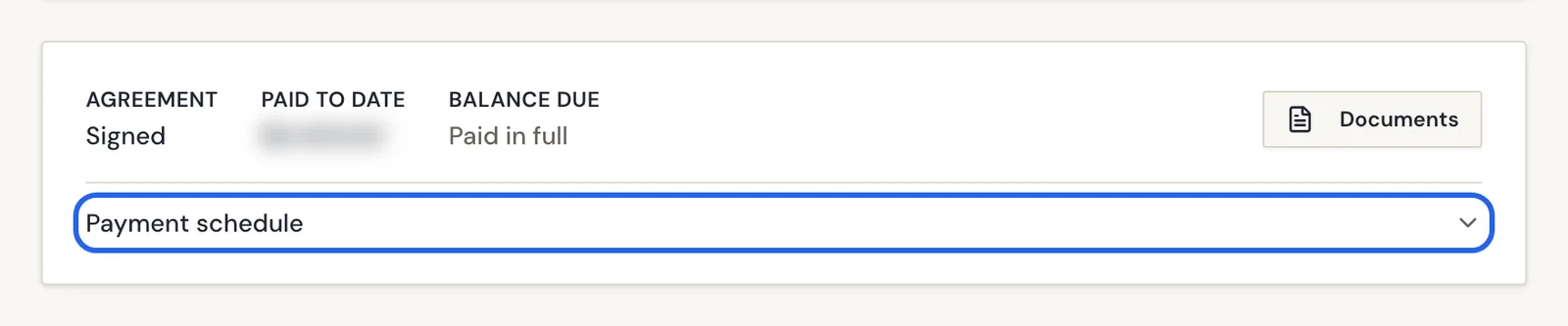
Your Home page shows your Agreement status, Paid To Date and Balance Due. Open Documents for the full payment schedule, and use the Pay button when a payment is due to pay securely online.
- Home money summary
- Documents full schedule
Everything about your balance is in your Candid Studios client portal: a quick summary on your Home page, and the full payment schedule in Documents.
Step 1
Check The Summary On Your Home Page
Scroll to the bottom of your Home page. You will see your Agreement status, Paid To Date and Balance Due. Expand Payment schedule to see each payment, or choose Documents for the full details.
Step 2
Review Your Payment Schedule In Documents
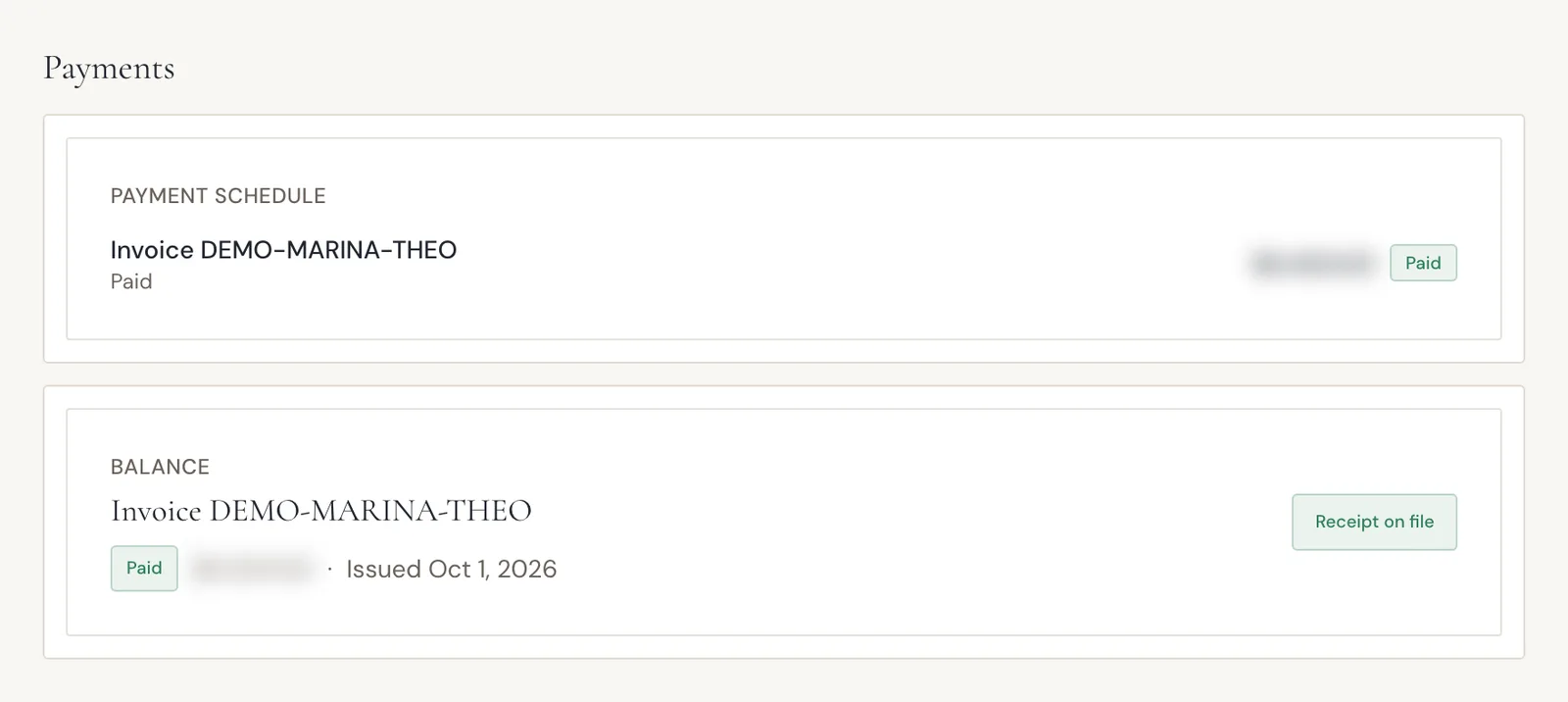
Choose Documents in the sidebar and scroll to Payments. Each invoice in your payment schedule shows whether it is paid, and your balance section shows what remains.
When a payment is due, use the Pay button to pay securely online.
Good To Know
- The portal shows your agreement, deposit, remaining balance and payment schedule. Amounts are calculated from your invoices.
- You can open Documents, or the money strip on Home, to see them.
- You can pay by card or bank transfer (ACH). Checkout is secure, via Stripe.
- A paid invoice shows its status and Receipt on file.
- The portal lets you "Request additional photo or video hours for this shoot." It describes them as priced instantly, and you pay online.
If Something Looks Different
- "Agreements, payment schedule, and estimates show up here once booking is confirmed. From Home you can also message Candid if something looks missing."
- "Documents like contracts and invoices will appear here as your project progresses."
- If your project says "This project has been archived and is no longer viewable," message us. The portal also offers to restore full access to photos, videos and documents for 60 days, with secure checkout via Stripe.
Frequently Asked Questions
How are my payment amounts calculated?
Amounts come from your invoices. Your payment schedule in Documents shows each invoice and its status.
Where do I find a receipt?
Open Documents and scroll to Payments. Paid invoices show their status and whether a receipt is on file.
How can I pay?
Use the Pay button to pay securely. The portal says you can pay by card or bank transfer (ACH), with secure checkout via Stripe.
What will I see once everything is paid?
Your Home summary shows Paid in full next to Balance Due, and the invoice in Documents shows as Paid.
Can I add more photo or video hours?
The portal offers a way to request additional photo or video hours for a shoot. It says they are priced instantly and you pay online.
Why are my agreement and payments not showing yet?
Agreements, payment schedule and estimates show up in Documents once booking is confirmed.
Still Need Help?
Message us from your client portal or email support@candidstudios.net.
Contact UsRelated Articles
- How To Message The Candid Studios TeamSend a message about your event from your client portal, or reach us by email.
- How To Get Proof Of Insurance For Your VenueDownload our certificate of insurance or copy a link to forward to your venue coordinator.
- What To Expect After You Book With Candid StudiosFollow the Your Journey tracker in your client portal from booking to delivery, and see what to do at each stage.
Last updated 2 min read